
“Did anyone post that on Facebook?”
Instagram got the photo. Facebook and Google still show last month. With PostJenny, one post goes on the calendar for every account at once.
Post once, show up everywhere →Write, review, and schedule posts for every platform in one place, with as much or as little AI as you want.
Plan ahead with PostJenny →%20-%20Calendar%20Dark%20Mode.png&w=3840&q=90)
Sound familiar?
Nobody opened a restaurant, a dealership, or a rental lot to become a social media manager. But your customers are checking before they show up.
Instagram got the photo. Facebook and Google still show last month. With PostJenny, one post goes on the calendar for every account at once.
Post once, show up everywhere →The couple booking a table checks Instagram. Their parents check Facebook. The guy who needs a truck searches Google. One post in PostJenny reaches all of them.
Reach the customers you're missing →Then a busy week hits and nothing goes out. PostJenny turns the photos already on your phone into a week of scheduled posts, so your pages stay current even when you're slammed.
Get the week scheduled →What's at stake
The plan
This is what doing business with us looks like.
Link Facebook, Instagram, Google Business, and anywhere else your customers look you up. Tell Jenny what you do in a sentence or two.
Upload the photos already on your phone. Jenny writes the posts, picks the pictures, and lays out a week on the calendar for every account.
Read through, change a word, swap a photo, hit approve. Nothing goes out without your OK, and you're back to work in minutes.
Where your customers are
Connect your accounts and plan every post from one calendar. Post types, posting options, and available results vary by platform.
 Facebook
 Instagram
 LinkedIn
 X (Twitter)
 TikTok
 YouTube
 Pinterest
 Google Business
 Threads
 Bluesky
 Snapchat
 Telegram
Whatever you do
How we help you win the week
Turn your photos into posts, get a second set of eyes, and put it all on the calendar. Work on your own or bring in your manager or partner.
Start with photos and videos you already have. Let Jenny generate a week of posts in one AI-assisted flow, then review the words, media, and schedule before publishing.
Explore Turn your media into a week of postsAsk a teammate or client to check a post before it goes out. Send clients a review link; they do not need an account.
Explore Get a second opinion - Calendar Submitted Posts.png)
Plan posts for your connected social accounts in one calendar. Choose where and when each post goes out. Posting options vary by platform.
Explore Post to more places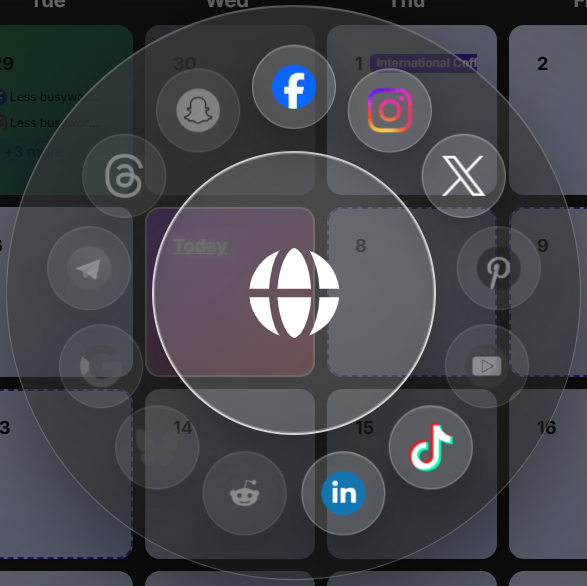
Group related posts into a campaign so a launch, season, or promotion stays organized. Start from a Content Pack instead of a blank calendar, then adapt it to your business.
Explore Plan whole campaigns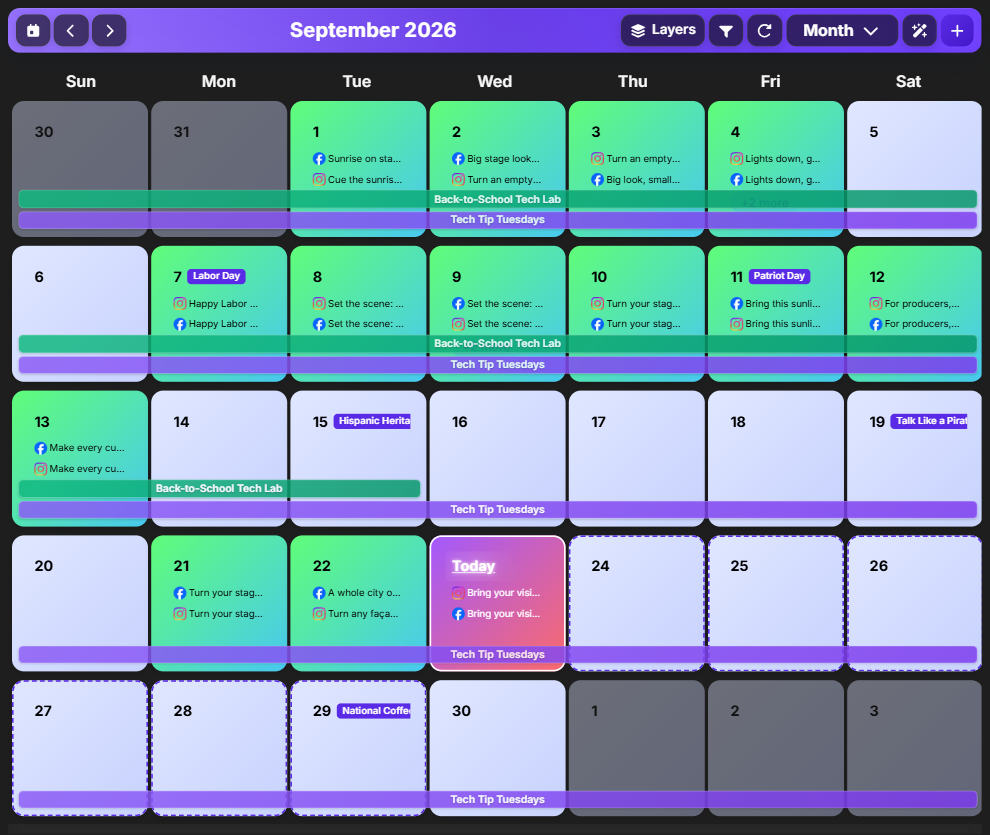
Use Media Studio to create a picture or edit one you already have. Swap a parking lot for a showroom and keep the product exactly as photographed. AI tools and credit use vary by plan.
Explore Create and edit picturesAsk Jenny for post ideas, help with words, or a fresh take on a picture. You choose what to keep, change, and share.
Explore Get help when you are stuck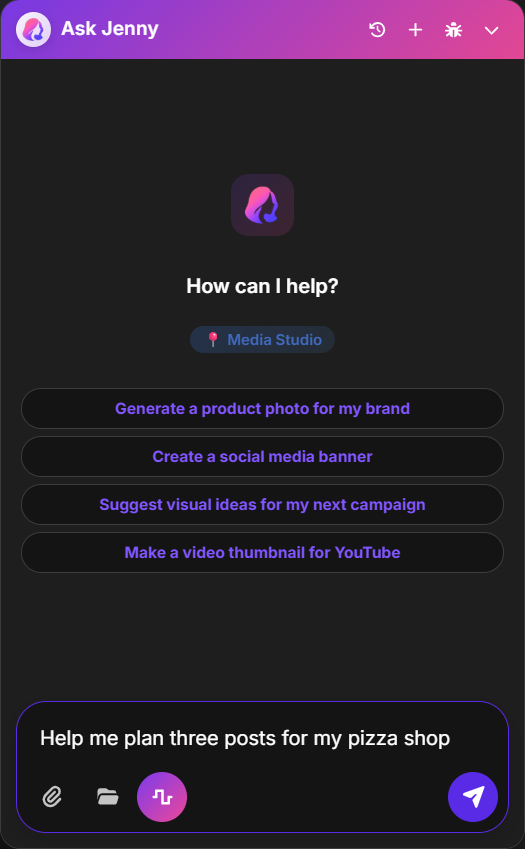
Keep your brand's photos and videos together, organize them into folders, and save favorites to use in your next post.
Explore Keep your media ready - Asset Library.png)
See how people respond to your posts and use what you learn next time. The results you can see depend on each social platform.
Explore See how your posts do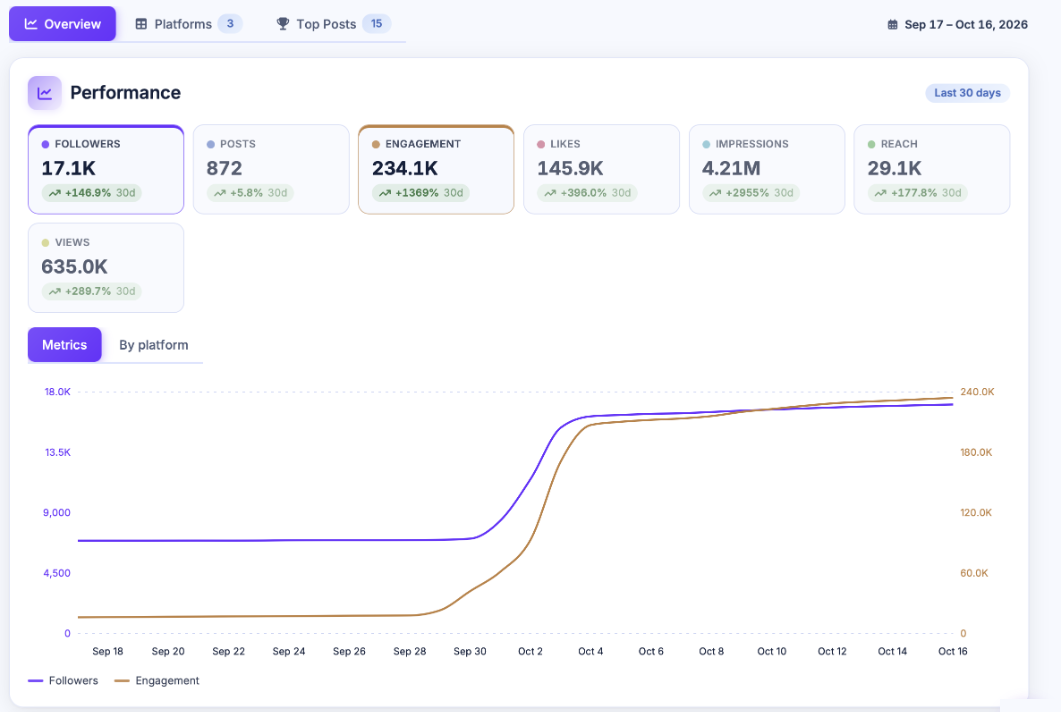
Inside PostJenny
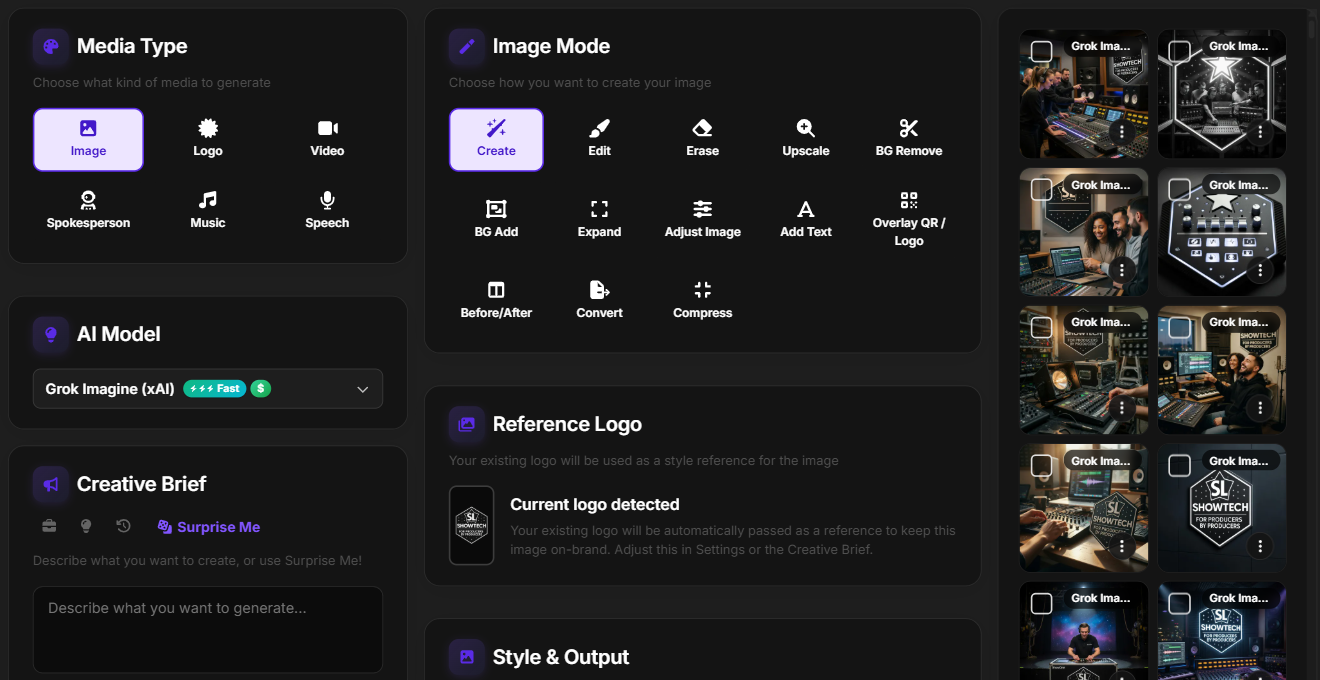
Create or edit a picture in Media Studio, grab a stock photo, or use one of your own. Then pick when it goes out.
Media Studio is where you create and edit pictures. Bring your own photo or describe a picture for AI to make. AI tools and credit use vary by plan.
Why PostJenny
We've watched owners try to keep up with posting between customers, deliveries, and payroll. It's not that you don't care. It's that something else always matters more right now. That's fair.
PostJenny handles the drafting, the resizing, and the remembering. You keep the final word on every post, in your voice, with your photos. Use as much or as little AI help as you like, and nothing goes out until you say so.
12
Social Platforms
Facebook, Instagram, LinkedIn, TikTok, YouTube, X, Pinterest, Google Business, Threads, Bluesky, Snapchat, and Telegram, all from one calendar
Minutes
To fill a week of posts
Start from photos you already have on your phone and let Jenny draft the week. You review before anything goes out
Nothing
Posted without your OK
Every post waits for your approval. Share a review link with a partner or manager; they do not need an account
3
Plans to Choose From
Pick the account allowances, AI credits, and storage that fit your business. Unlimited team members on every plan
Included with your plan
Need a photo of tonight's special, a short video for the new inventory, or a voice for your ad? The tools to make them are built into PostJenny, from the same companies behind the best AI image, video, and voice models. No extra accounts to manage.
Images
Turn an idea into a picture with fast, economical image generation from xAI.
Starter and up
Images
Create everyday social visuals with Nano Banana 2, or refine the details with Nano Banana Pro.
Starter and up
Images & editing
Create campaign visuals and make precise edits with models including GPT Image 2 and 2.5 Flare.
Starter and up
Voiceovers
Add natural narration with Turbo v2.5. Growth adds expressive ElevenLabs v3 speech and ElevenLabs Music.
Starter and up
Music
Create an original track from a prompt for your next post or campaign. Stable Audio 2.5 is also included.
Starter and up
Video
Create cinematic clips with Lite and Fast on Growth. Pro unlocks flagship Veo 3.1 with reference-image support.
Growth: Lite & Fast / Pro: flagship
20 total models
Images, graphics, voiceovers, music, captions, and professional image editing tools.
28 total models
Everything in Starter, plus AI video with Veo, Grok Imagine Video, and P-Video 2, premium music, and more expressive voiceovers.
29 total models
Everything in Growth, plus flagship Google Veo 3.1 for reference-guided, consistent branded video.
Higher tiers include every model in the tiers below. Generations use PostJenny credits; usage varies by model and output settings, including duration. Model availability may change.
Simple Pricing
Pick the plan that fits how many accounts you run and how much help you want. Team members are unlimited on every plan, so your manager or partner can approve posts too.
FAQ
Find answers to common questions about PostJenny's features, social platforms, getting posts checked, and more.
Talk to a person
We'll show you how PostJenny would work for a place like yours, from your first connected account to your first full week of posts.
Prefer email? hello@postjenny.com
Keep doing it the hard way, and the Facebook page stays stuck on last spring. Or connect your accounts tonight, approve a week of posts tomorrow, and get back to the work you're actually good at.
Cancel anytime. Nothing posts without your OK.